> For the complete documentation index, see [llms.txt](https://support.dlink.com.sg/llms.txt). Markdown versions of documentation pages are available by appending `.md` to page URLs; this page is available as [Markdown](https://support.dlink.com.sg/consumer/wi-fi-router/m15/faqs/how-to-setup-m15-slave-using-eagle-pro-ai-app.md).
# How to setup M15 Slave using Eagle Pro AI App
{% stepper %}
{% step %}
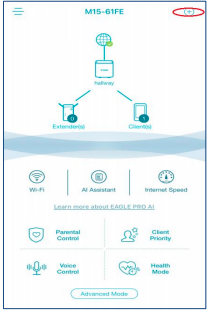
### Launch EAGLE PRO AI app. On the home page, tap + on the upper right portion
{% endstep %}
{% step %}
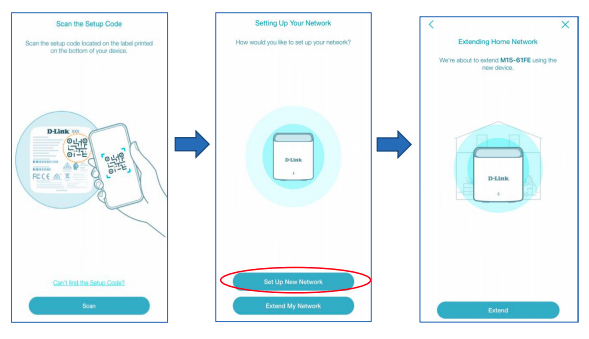
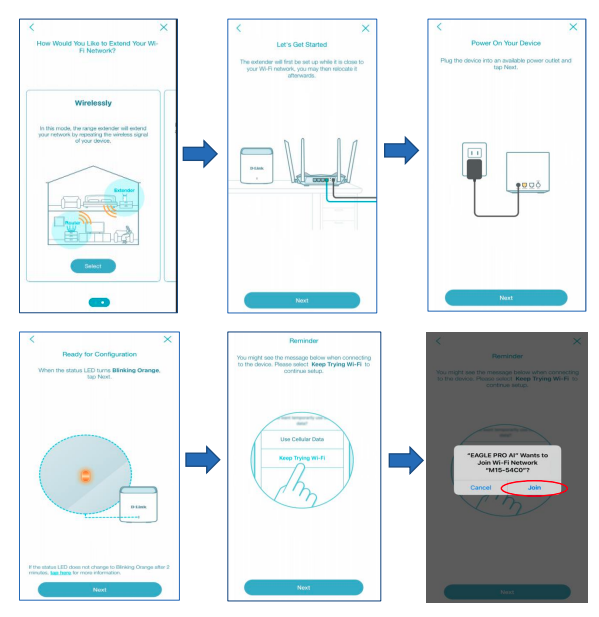
### Follow the On-screen instructions.
{% endstep %}
{% step %}
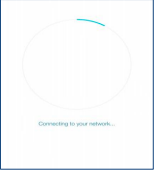
### Wait until the extender joins the network
{% endstep %}
{% step %}
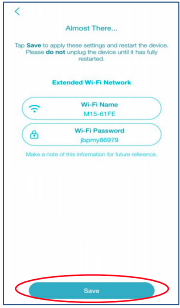
### Tap Save and wait until all settings are saved
{% endstep %}
{% step %}
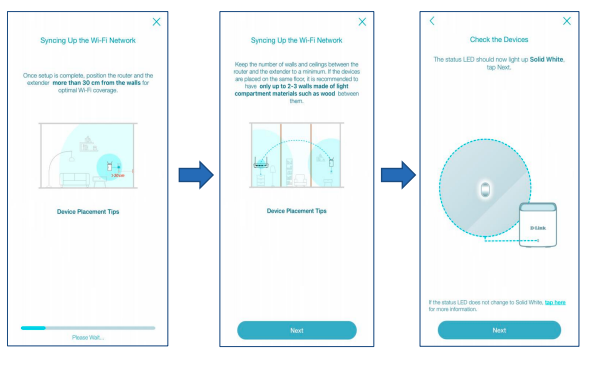
Wait until the extender completes the sync’ing process. Then tap Next until the rest of\
the setup process is completed
{% endstep %}
{% step %}
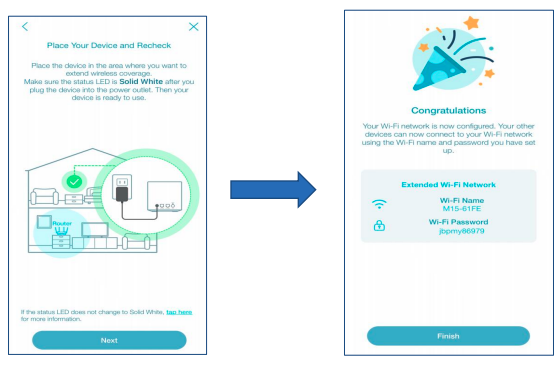
### Setup Complete
{% endstep %}
{% endstepper %}