> For the complete documentation index, see [llms.txt](https://support.dlink.com.sg/llms.txt). Markdown versions of documentation pages are available by appending `.md` to page URLs; this page is available as [Markdown](https://support.dlink.com.sg/consumer/wi-fi-router/dir-x1560/faqs/dir-x1560-inital-setup-using-apps.md).
# DIR-X1560-Inital setup using apps
{% stepper %}
{% step %}
Connect to current Exo mesh router Wi-Fi.
{% endstep %}
{% step %}
Open D-Link Wi-Fi Apps on the Android mobile device.
{% endstep %}
{% step %}
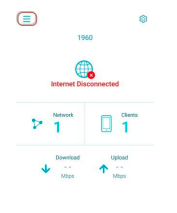
### Click on Menu Icon.
{% endstep %}
{% step %}
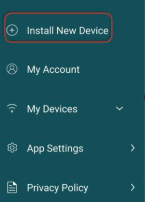
### Click on Install New Device.
{% endstep %}
{% step %}
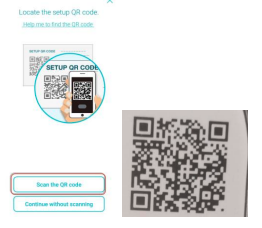
### Click on Scan the QR code.
* Scan the QR code on the device.
{% endstep %}
{% step %}
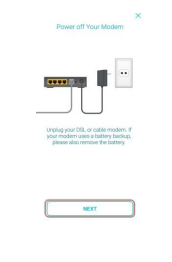
### Power off the modem.
* Click on NEXT
{% endstep %}
{% step %}
### Plug one end of the Ethernet cable into Internet port of DIR-X1560.
* Plug the other end of the Ethernet cable into **Modem**.
* Click on **NEXT**
{% endstep %}
{% step %}
### Power on your Modem.
* Click on NEXT.
{% endstep %}
{% step %}
### Power on DIR-X1560
* Click on NEXT.
{% endstep %}
{% step %}
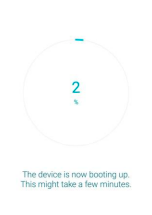
### Wait for the device to boot up
{% endstep %}
{% step %}
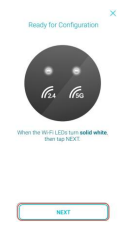
### Ensure both Wi-Fi LEDs turn Solid White.
* Click on NEXT.
{% endstep %}
{% step %}
Wait for **Connecting to your device** to be finish.
{% endstep %}
{% step %}
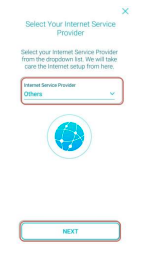
Select **Others** for **Internet Service Pro**
Click on **NEXT**.
{% endstep %}
{% step %}
### Click on No.
{% endstep %}
{% step %}
Enter a new **Wi-Fi name and Password**
* Click on NEXT.
{% endstep %}
{% step %}
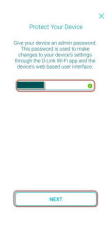
### Enter a new password for the device.
* Click on **NEXT**.
{% endstep %}
{% step %}
### Select Keep my device up to date automatically
* Click on NEXT.
{% endstep %}
{% step %}
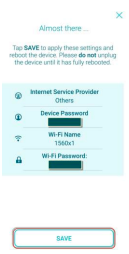
### Click on SAVE.
{% endstep %}
{% step %}
### Wait for setting to be save.
{% endstep %}
{% step %}
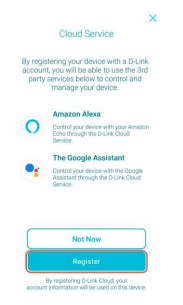
### Click on Register
{% endstep %}
{% step %}
### Click on Sign up with Email.
{% endstep %}
{% step %}
### Enter Name.
* Enter **Email Address**.
* Enter **Password**.
* Put **tick** beside **I have read and agree to the Terms of Use and Privacy Policy.**
* Click on **Sign Up.**
{% endstep %}
{% step %}
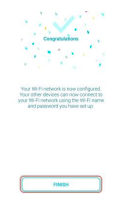
### Click on FINISH.
{% endstep %}
{% endstepper %}