> For the complete documentation index, see [llms.txt](https://support.dlink.com.sg/llms.txt). Markdown versions of documentation pages are available by appending `.md` to page URLs; this page is available as [Markdown](https://support.dlink.com.sg/consumer/wi-fi-router/dir-868l/faqs/dir-868l-how-to-setup-access-point-ap-for-router.md).
# DIR-868L – How to setup Access Point (AP) for router ?
{% stepper %}
{% step %}
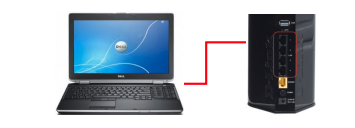
### Connect the LAN cable from the computer to any of 4 ports of the router.
{% endstep %}
{% step %}
Open a web browser such as Internet Explorer, Mozilla Firefox or Chrome. On the\
address bar of the web browser type in there the IP Address or of the router and then press the Enter key on your\
keyboard.
{% endstep %}
{% step %}
A login screen will appear, select the **User Name** as “**Admin**” and leave the\
**Password field blank** (below firmware version 1.07) and then click on the **Log In** button.
For the **Firmware Version 1.07 and above** you need key in default wireless password
{% endstep %}
{% step %}
Click on **SETUP** tab, then Click on **INTERNET** on the left hand side, then Click on **Manual**\
**Internet Connection Setup.**
{% endstep %}
{% step %}
### By default the router has is Wireless Router. You need change it to Wireless AP.
{% endstep %}
{% step %}
### Then click on save settings to continue
{% endstep %}
{% step %}
### It will reboot the router
{% endstep %}
{% step %}
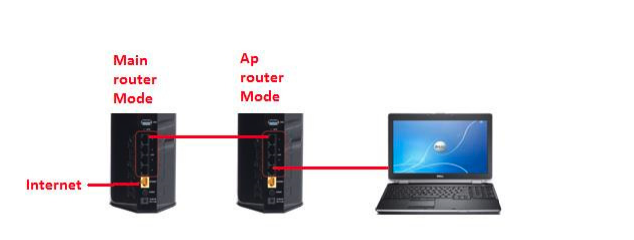
### Make sure NO Network Cable is plugged into INTERNET PORT
{% endstep %}
{% step %}
Connect an Ethernet cable in one of the LAN ports of the AP router and connect it to main\
router. Do not plug anything into the Internet (WAN) port of the router into an AP. Use the LAN ports only.
{% endstep %}
{% endstepper %}