> For the complete documentation index, see [llms.txt](https://support.dlink.com.sg/llms.txt). Markdown versions of documentation pages are available by appending `.md` to page URLs; this page is available as [Markdown](https://support.dlink.com.sg/consumer/wi-fi-7-multi-gigabit-router/dpn-be7200gr/faqs/how-to-reset-dpn-be7200gr-to-its-factory-default-settings.md).
# How to reset DPN-BE7200GR to its factory default settings
**Hardware RESET**
{% stepper %}
{% step %}
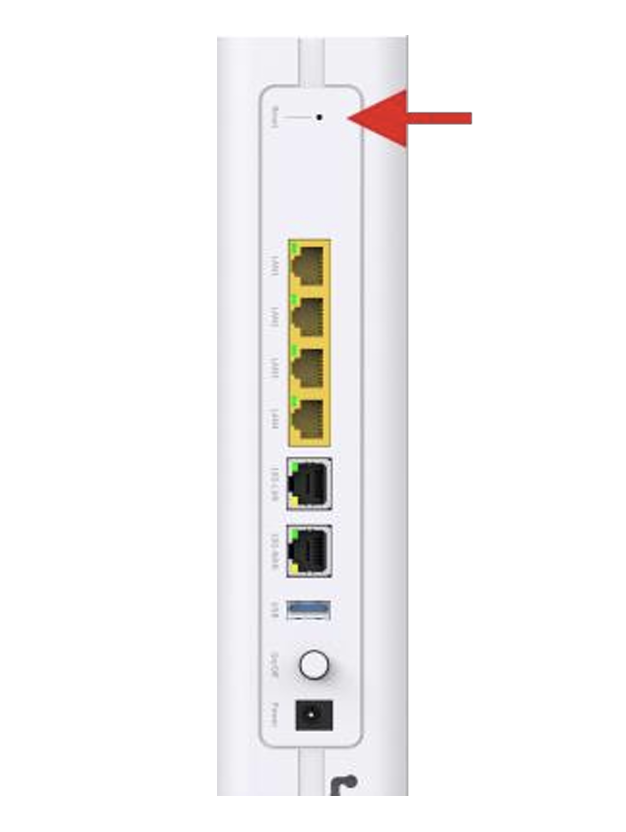
Use a straightened paperclip or a SIM ejector tool to press the RESET hole at the back of the DPN-7200GR device while it is powered on.
{% endstep %}
{% step %}
Press and hold for 10 seconds, then release.
{% endstep %}
{% step %}
All LED’s will briefly turn off. When it is back on, the power LED will first come up on solid green. Then, all other LED’s will follow. This indicates that the device has been restored to its factory default settings.
{% endstep %}
{% endstepper %}
**Software RESET**
{% stepper %}
{% step %}
Open a web browser on your computer and type in the address bar:
{% hint style="info" %}
*Note: You might see a "Privacy Error" or similar security warning. This happens because the router uses a self-signed SSL certificate, which browsers may not recognize as secure. It is safe to proceed on.*
{% endhint %}
{% endstep %}
{% step %}
After accessing the router management page, enter the device username & password in their corresponding fields and click Login. Note: (The default username & password are printed on the label on the bottom of the device. If you have forgotten your password, please refer to the hardware RESET steps).
{% endstep %}
{% step %}
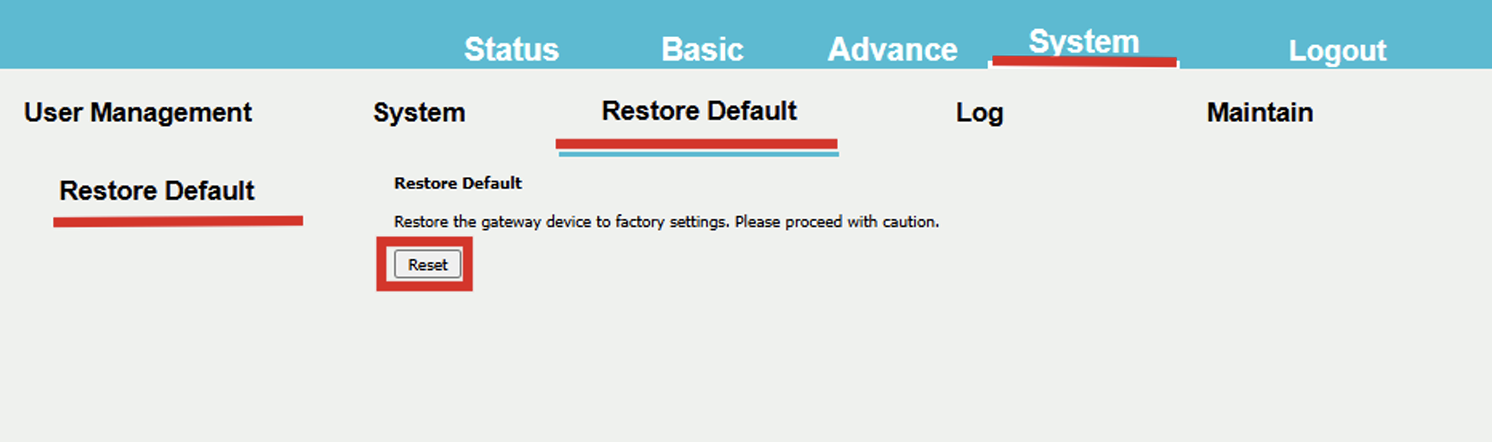
After logging in, click on System tab, then select Restore Default, and click Reset
{% endstep %}
{% step %}
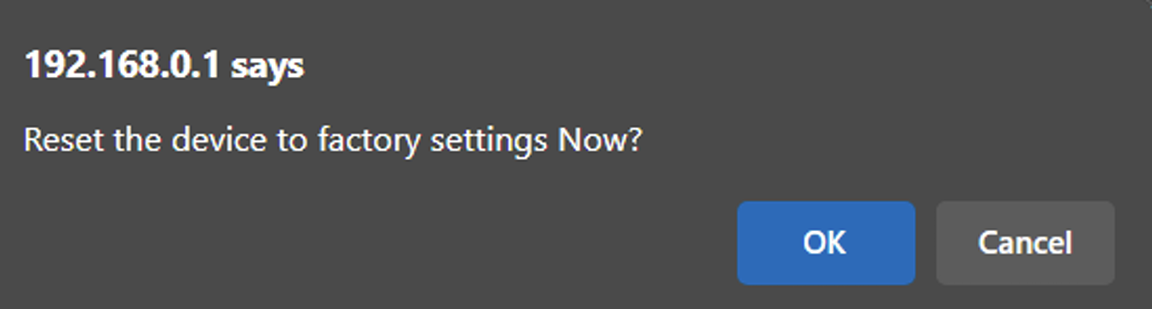
Click OK. Wait for the countdown timer to complete.
{% endstep %}
{% endstepper %}